














business cardsAbout usRequest a quotationFAQsContact usSearch siteLinksbusiness cards
link to homepage
lbordertop
menu bar icon

1x1

Artwork Help & Assistance

menutop

menudiv

To quickly find the product, article, tutorial or other site info you require, please use the search facility below.


menudiv

If your enquiry is urgent, we can quickly be contacted on:

01635 255 552

menuclose

Low-Res/High-Res graphics
Files for print generally need to be scanned/drawn at 300dpi.

What looks great on screen at 72dpi would look pretty bad when printed. Boosting the resolution from 72 to 300dpi in a paint program (Photoshop - Paint Shop Pro etc.) doesn't normally work as this just interpolates the image, i.e. adds similar coloured pixels to the image, which in turn can 'up' the image size but makes for a more 'blurry' effect.

11-1
392head

Submitting Artwork

1x1

Please read the following information thoroughly. We will be glad to help you with any additional questions or concerns before you hand over your files. Remember that you always have the option of letting us design the item for you, at a small extra charge, from the very beginning.

Need further help with graphic formats or would like to see some of the most frequently asked questions regarding artwork-related issues, then please see our< Artwork Help > section.

Submitting your files & artwork

Send all images and fonts used in the creation of your document.

Here is an easy way to help you organize all fonts and images you have used in your file:

Before you start designing your item create a folder with the name of the item, for this example we will create a folder called "My Business Card"

Within the "My Business Card" folder save your file.

Within the "My Business Card" folder create 2 more folders, one called "Fonts" the other called "Images".

When you have finished designing, copy all the fonts you used in the file into the "Fonts" folder and copy all the images/pictures/graphics which you placed in your file into the "Images" folder.

Compress the"My Business Card" folder with a compression tool like WinZip (www.winzip.com) or, if you are a Mac user, Stuffitt. Compressing your files will allow them to transfer more quickly over the web.

This procedure ensures that we will have everything that's necessary to print your order to meet your deadline. If you have problems with any of the above steps we will be glad to help you by phone or email.

Contact the Studio on 01635 255 552spacer

<
Contact Form found at bottom of this page >

We prefer if you link your images to your document instead of embedding them. But remember, when you link your images, you must also give us the separate image.

Please save all images in a resolution of 300 dpi, line art should be saved at 600 dpi.

For full colour/4-colour process printing please save your file in CMYK mode.

For spot colour printing please use Pantone colours.

372div-trans

If you have designed your artwork using RGB or Hex colours and would like to see the nearest Pantone equivelent then see here for an online conversion chart.

372div-trans

Give us only the files that we will need to complete your order.

Never use the style palette to bold or italicize your fonts.

Please proof read and spell check your artwork before you hand it over to us. Our job is to make the copy and images you supply us look the very best.

We are not responsible for errors made on your part.

If you are supplying us with actual paper printouts of images, logos or art (also called “camera ready artwork”) we only accept sharp black and white prints.

Careful attention should be made in converting Pantone colours to CMYK colour. Sometimes there will be quite a big colour change from the conversion process. For best results you should save the file in CMYK colour from the very beginning.

If your order will be printed in CMYK colour and there are large solid black areas, you can add 60% cyan to those areas to achieve a richer black.

back to top

Set-up guidelines by item

Business Cards - should be 85mm by 55mm with a 5mm margin around all sides. If there is a bleed on the business card, the card should be set up with a 3mm bleed. If the business cards will be printed in spot colour and there is more than one, please colour separate the file. Please see our note below on Spot Colour Separations.

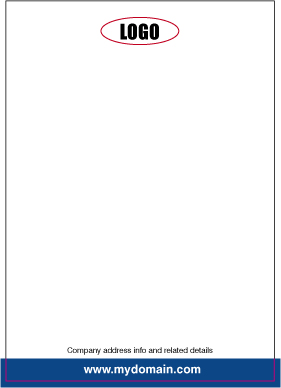
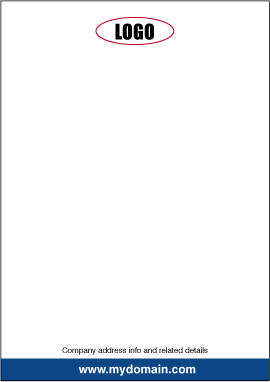
Letterheads - should be 210mm x 297mm. If the letterheads will be printed in spot colour and there is more than one, please colour separate the file. Please see our note below on Spot Colour Separations.

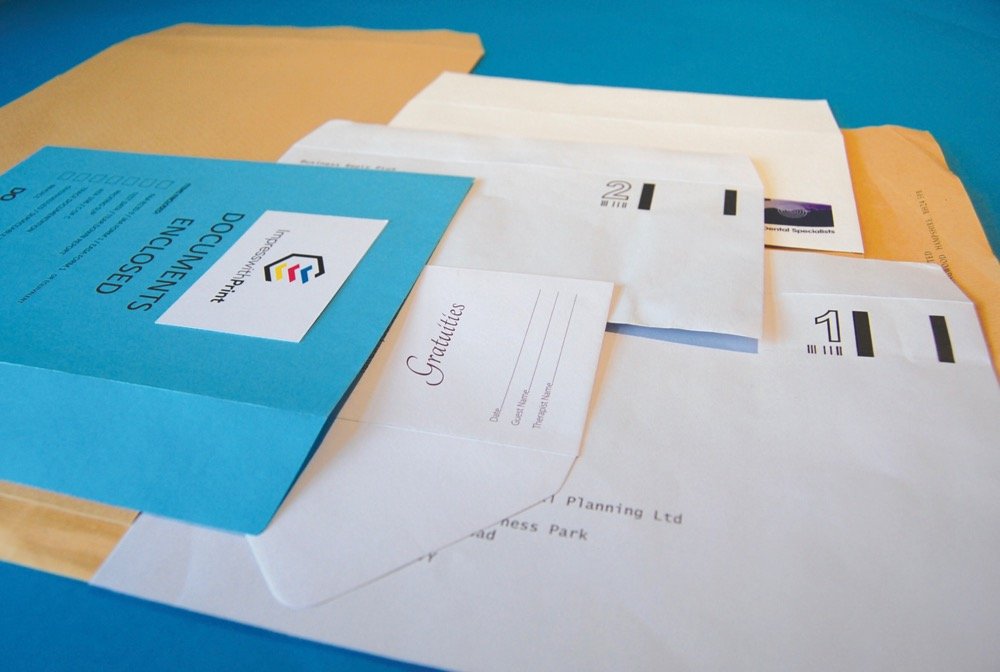
Envelopes - can be set up to C4 - C5 - C6 etc. Whichever size you need be sure to allow a 1/4 (0.25) inch margin from the top and along the sides. If the envelopes will be printed in more than one spot colour please colour separate the file. Please see our note below on Spot Colour Separations.

Flyers - You can set up your flyer in any size you need. Again, please refer to our notes on Spot Colour Separations. Careful attention should be paid to the fold areas of the flyer. You want to make sure that very small text or text that is meant to be read, does not fall within the folds. It is recommended that you get a test piece printed and folded before any final printing is done.

Brochures - You can set up your brochure in any size you need. Bleeds should be extended 3mm past the edge of the brochure. Careful attention should be paid to the fold areas of the brochure. You want to make sure that very small text or text that is meant to be read, does not fall within the folds. It is recommended that you get a test piece printed and folded before any final printing is done.

Labels - can be printed in most any shape and size you need. Allow an 1/8 (0.125) inch margin around all sides of the label. If there is a bleed, please make sure that it extends a 1/4 (0.25) inch past the edge of the label. If your label will be printed in more than one spot colour please colour separate the file. Please see our note below on Spot Colour Separations.

back to top

Spot Colour Separations.

If your file contains more than one spot colour or Pantone colour you will need to colour separate the file before you send it to us. To to this simply follow these easy steps:

1) Design everything in your file in black including the areas that will be printed in colour.

2) Use Adobe Acrobat to create a PDF file, and save it as "YourJob_composite".

3) Let's say your file contains items to be printed in blue and items to be printed in red: Select everything that will be printed in blue. Delete everything else. Use Adobe Acrobat to save this version as "YourJob_blue.pdf". Close your file WITHOUT saving the deletions and reopen it. Now select everything that will be printed in red. Delete everything else. Use Adobe Acrobat to save this version as "YourJob_red.pdf". Close your file WITHOUT saving the deletions.

4) You should now have 3 PDF files:

a black composite

a file that contains all items to be printed in blue

a file that contains all items to be printed in red

5) Well done! You have just colour-separated your file and you are now ready to email us those files and get your order printed.

Note:
Of course, if you are using a package such as Adobe Illustrator/Macromedia Freehand/Corel Draw/QuarkXpress or Adobe InDesign for instance, then there is no need to go through the separation steps outlined above.

back to top

Please note: If Artwork or Design is instigated on your behalf, this would be invoiced at the normal rates irrespective of whether the job is printed or not.

Please direct any graphics-related query to Paul on the following number:-

Paul - Tel: 01635 255 552

CONTACT US HERE WITH YOUR
PRINTING QUERY OR FOR REQUESTING SAMPLES

We will deal with your enquiry as soon as possible
You can also call us on: 01635 255 552

Submitting your artwork in the correct format.

new message
General Enquiry Form
castle logo - adobe in-design
If you experience any difficulty in submitting this form, please contact us on:
01635 255 552 or email us at: sales@castleprint.co.uk and we will respond asap.


Required items indicated with *
Email: *
Name: *
Tel. Number: *
Subject: *

I would like more information. Contact me on the above telephone number to discuss my enquiry
  Telephone me on the above number

My enquiry relates to:
  General printed products   Artwork & Design

I wish to receive samples of the following products. Please note: if you need to select more than one option, please enter the extra product you require in the message box further down this form.
Samples:
Laminated / Plain Business Cards
Letterheads / Compliment Slips
Printed Envelopes - 1, 2, 3 or 4 colours
Full Colour Brochures & Flyers

My address details:

Any other details not covered above:

Attach Files - 5Mb max
If your file(s) are over 5Mb, please contact us and we will supply an alternative email address.
Please check that you have entered all details correctly, to ensure we deal with your enquiry in an efficient manner.

Castle Print & Design
in partnership with The Roman Group, Centurion House, Woodside Road, Southbourne, Bournemouth, Dorset, BH5 2BA

Tel: 01635 255 552 / FreeFax: 0800 389 7262
11-2
176head1

1x1
Artwork Help
1x1
1x1

business cards, business card printing uk
1x1

Fonts
Important information regarding fonts.

read moremore info
156div
business cards designed and printed in the UK  
Artwork - General Info
Need to send graphic files? Not sure in what format?
read more more info
156div
1x1
How to design an A4 folded leaflet

(Easy-to-follow tutorial)
 
How to design a
business card


(Easy-to-follow tutorial)
 
How to design a letterhead

(Easy-to-follow tutorial)
rbordertop
footer1
footer3

visa-sm spacerTelephone: 01635 255 552spacerrorinfospacerFreeFax: 0800 389 7262 spacermastercard-sm

footer4
footer2